Categories
Lead management

How Lead Management Software Improves Sales Accuracy in Data-Driven Teams 

Sales teams today don’t lose deals because they lack effort. They lose deals because information slips. Leads get missed, follow-ups happen late, data lives in too many places, and decisions are made on partial signals. In a data-driven sales environment, accuracy matters just as much as activity. 

This is where lead management software plays a quiet but critical role. It doesn’t magically increase demand. What it does is improve how teams capture, organize, qualify, and act on leads. Over time, that accuracy compounds. Better data leads to better decisions. Better decisions lead to more consistent conversions. 

For teams scaling beyond spreadsheets or inbox-based tracking, a structured lead management system becomes less of a tool and more of a foundation. 

What Is a Lead Management System and How Does It Work? 
Lead Management System Works?

A lead management system is a centralized platform that captures leads from multiple sources, tracks their activity, and guides them through the sales funnel. It replaces fragmented tracking methods with a single source of truth. 

At a basic level, the system: 

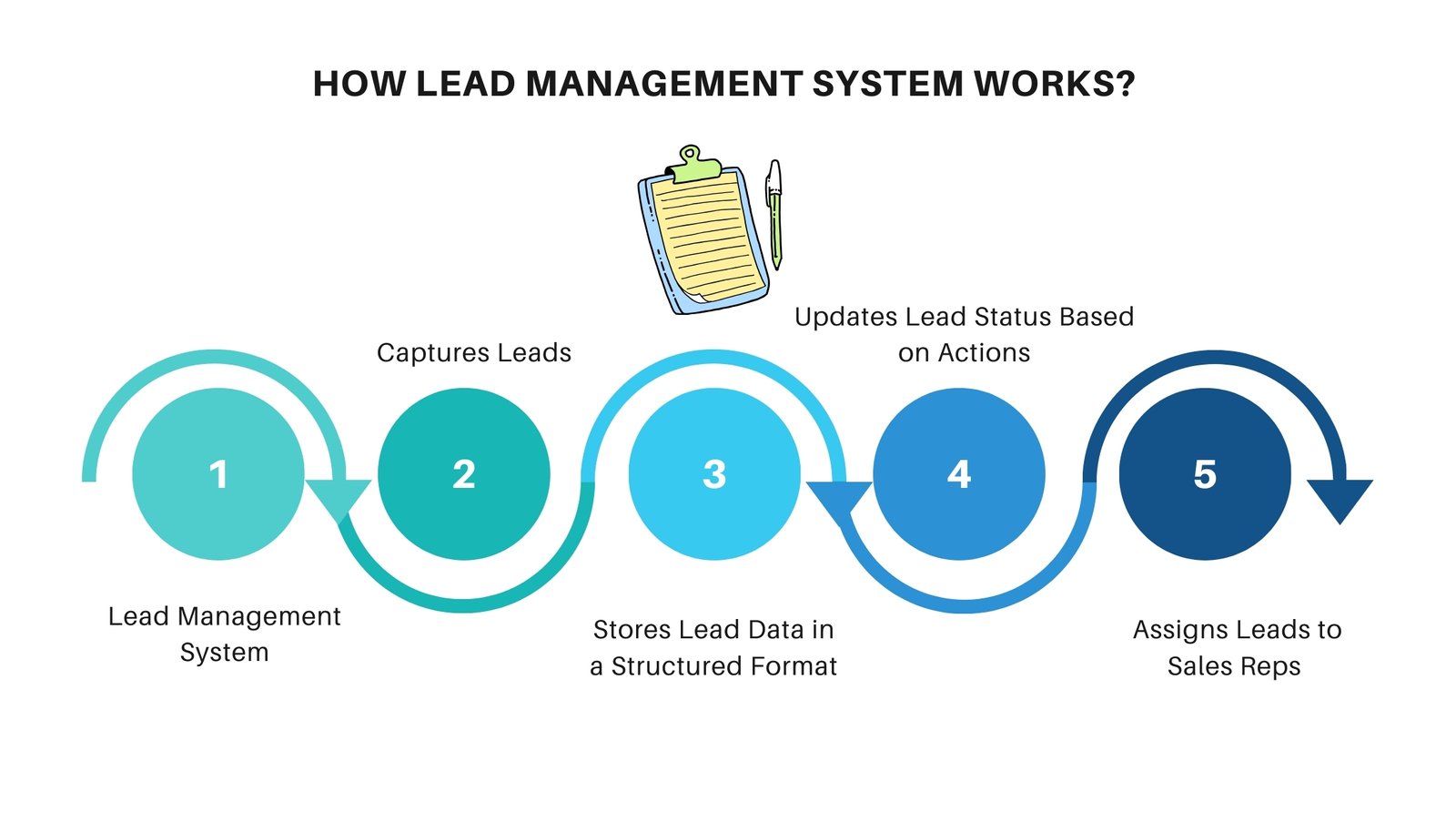
    • Captures leads from forms, ads, emails, calls, and integrations 

    • Stores lead data in a structured format 

    • Tracks interactions over time 

    • Assigns leads to sales reps 

    • Updates lead status based on actions 

More advanced systems apply rules or scoring models to prioritize leads. For example, a lead that opens three emails and books a demo is treated very differently from one that just downloaded a brochure. 

In data-driven teams, this structure reduces guesswork. Instead of asking “Who should I call today?” reps see a prioritized list backed by data. 


Lead Management Software vs Traditional Lead Tracking Methods 

Many sales teams still rely on spreadsheets, shared inboxes, or basic CRMs not designed for active lead flow. These methods work at low volume, but accuracy drops fast as scale increases. 

Traditional lead tracking usually means: 

    • Manual data entry 

    • No real-time updates 

    • Limited visibility across teams 

    • High dependency on individual discipline 

In contrast, lead management software automates data capture and enforces consistency. Every interaction is logged. Every update is time-stamped. Nothing depends on memory alone. 

Teams using structured lead software report: 

    • 25–35% reduction in missed follow-ups 

    • 20% improvement in lead-to-opportunity accuracy 

    • Cleaner reporting with fewer manual corrections 

The difference isn’t effort. It’s system design. 

Key Features Every Lead Management App Should Have 

A modern lead management app should support sales teams wherever they work, not just at a desk. Mobility and simplicity matter. 

Core features to look for include: 

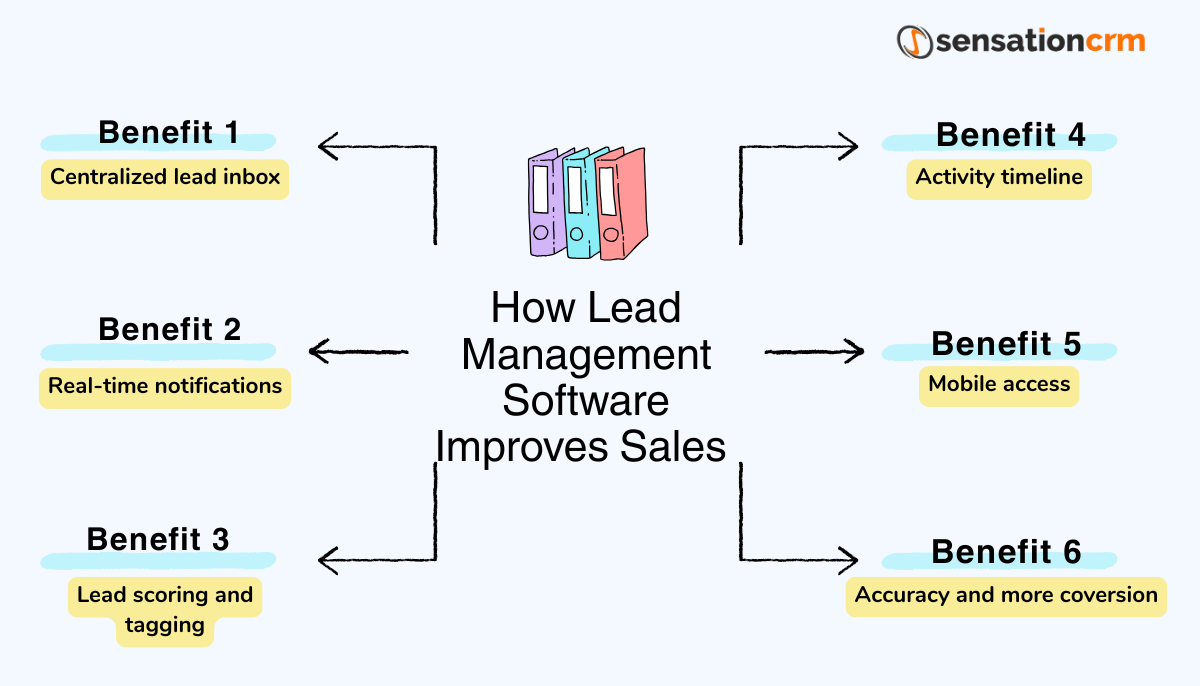
Centralized lead inbox: All leads from web forms, ads, calls, and emails flow into one place. No switching tabs or hunting spreadsheets. 

Real-time notifications: Speed matters. Responding within the first 5 minutes can increase conversion probability by nearly 8x compared to delayed follow-up. 

Lead scoring and tagging: Basic scoring helps reps focus on higher-intent leads first. Even simple rules improve prioritization. 

Activity timeline: A clear view of emails, calls, meetings, and notes prevents repetitive or awkward outreach. 

Mobile access: Sales doesn’t wait for laptops. A good lead management app works smoothly on mobile. 

Without these basics, even the best sales process starts breaking down. 

How Lead Software Helps Sales Teams Qualify Better Leads 

Qualification is where accuracy either improves or collapses. Poor qualification wastes time. Over-qualification delays deals. 

Lead software improves qualification by turning behaviour into signals. Instead of relying on gut feel, teams see patterns: 

    • Pages visited 

    • Emails opened 

    • Response time 

    • Engagement frequency 

This data helps sales reps ask better questions. They don’t start cold. They start informed. 

Teams using lead-based qualification models often see: 

    • 15–25% higher close rates 

    • Shorter sales cycles by 10–20% 

    • Fewer unproductive calls 

It’s not about filtering aggressively. It’s about focusing attention where it actually matters. 

Benefits of Using a Lead Management System for Faster Conversions 

Speed and accuracy are closely linked. When data is clean and accessible, decisions happen faster. 

A strong lead management system enables: 

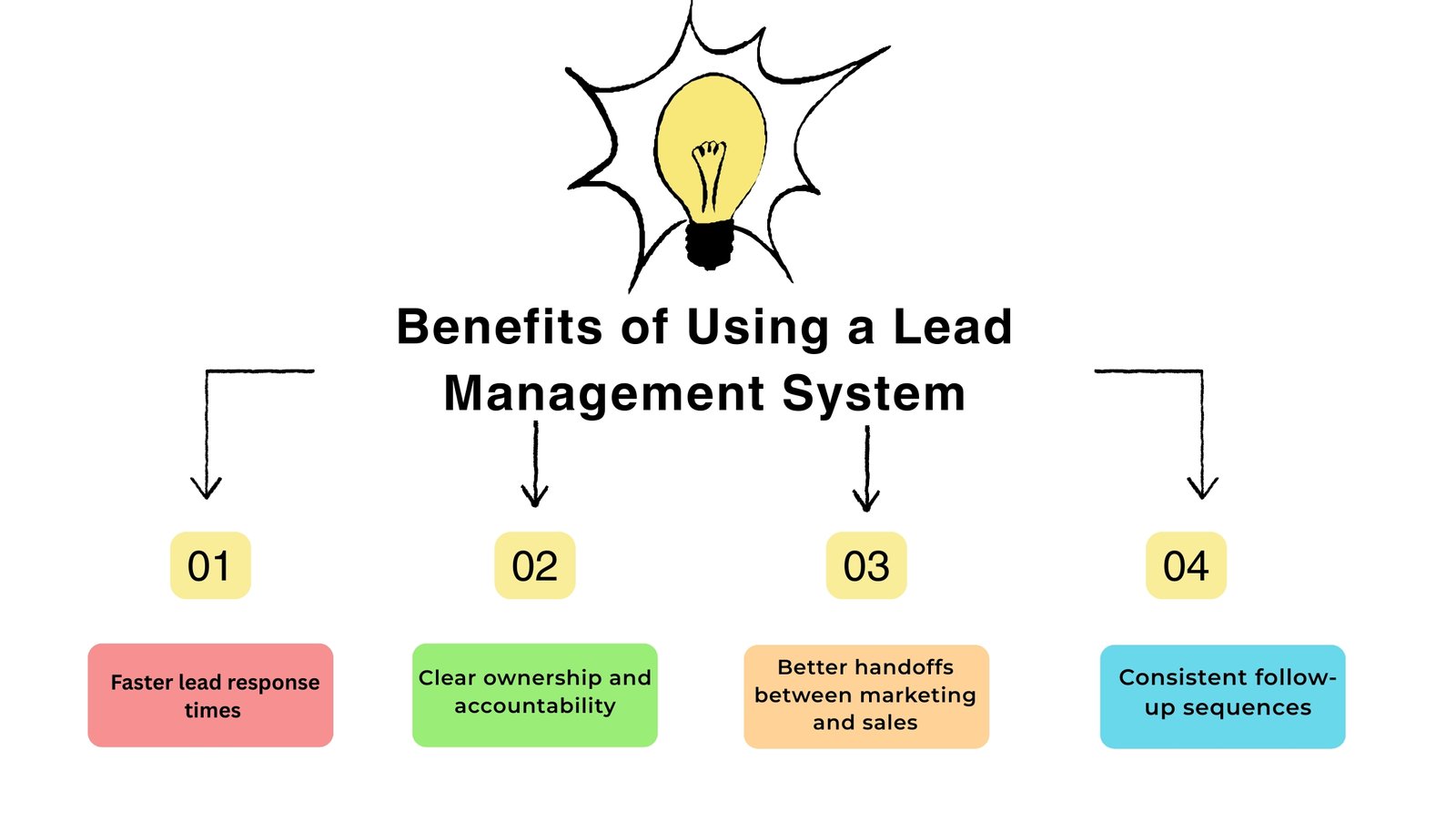
    • Faster lead response times 

    • Clear ownership and accountability 

    • Better handoffs between marketing and sales 

    • Consistent follow-up sequences 

According to industry benchmarks, companies that respond to leads within one hour are 7x more likely to qualify them than those responding later. 

Over time, faster response combined with better qualification leads to: 

    • Higher win rates 

    • Predictable pipeline movement 

    • More reliable forecasting 

Conversions don’t spike overnight. They stabilize. And that stability matters more at scale. 
Benefits of Using a Lead Management System

Choosing The Right Lead Management Software for Your Business 

Not all lead management software fits every team. The “best” system is the one your team actually uses. 

When evaluating options, consider: 

    • Volume of leads per month 

    • Number of sales reps 

    • Complexity of your sales cycle 

    • Integration needs (email, ads, CRM, telephony) 

    • Reporting depth required 

Avoid overbuying features you won’t use. Complexity hurts adoption. A simple system focused on Essential Education CRM Features 2026 and used daily will always outperform a powerful platform that teams rarely touch. 

Ask practical questions: 

    • Can new reps learn this in a week? 

    • Does it reduce manual work or add to it? 

    • Does it show me what to do next, clearly? 

Accuracy improves when systems feel supportive, not heavy. 

Why Data-Driven Teams Rely on Lead Management Software 

Data-driven sales teams don’t rely on instincts alone. They test, measure, and refine. 

Lead management software provides: 

    • Clean datasets for analysis 

    • Visibility into conversion leaks 

    • Historical patterns across channels 

Over time, teams identify what actually drives conversions. Which campaigns bring qualified leads. Which reps follow up effectively? Which messages resonate. 

This feedback loop is hard to build without structured lead data. Spreadsheets rarely survive long enough to tell the full story. 

Common Mistakes Teams Make Without a Lead Management System 

Without a proper system, teams often face: 

    • Duplicate leads 

    • Inconsistent follow-ups 

    • Lost context between calls 

    • Inflated pipeline numbers 

These issues don’t always show up immediately. They show up in missed targets, unclear forecasts, and internal friction. Contact us to identify and resolve these challenges before they impact your growth.A lead management system doesn’t remove all problems. But it makes problems visible early, when they’re easier to fix. 

The Impact of Lead Management Software on Sales Accuracy 

Sales accuracy isn’t just about closing deals. It’s about knowing: 

    • Which leads are real 

    • Which opportunities are active 

    • Which numbers you can trust 

Teams using structured lead software often report: 

    • 30–40% improvement in forecast accuracy 

    • Reduced end-of-quarter surprises 

    • Better alignment between marketing and sales 

Accuracy builds confidence. Confidence improves execution. 

Lead Management Software Can replace 

Lead management software doesn’t replace good salespeople. It supports them. It removes noise, reduces manual effort, and brings structure to fast-moving pipelines. 

For data-driven teams, accuracy isn’t optional. It’s how decisions get made, resources get allocated, and growth stays predictable. 

A well-implemented lead management system becomes part of daily workflow, quietly improving how teams qualify, follow up, and convert leads. 

Platforms like Sensation CRM are designed with this reality in mind, helping sales teams maintain accuracy as lead volumes grow and processes mature. 
Frequently Asked Questions

What is lead management software used for?

It’s used to capture, track, qualify, and convert leads in a structured way.

A lead management app focuses more on early-stage lead handling and follow-ups.

Yes. Small teams often see faster gains because inefficiencies are easier to spot.

Indirectly, yes. Better data leads to better decisions and faster response.

Most teams notice workflow improvements within 30–60 days.

Categories
Education CRM Educational Institutions

How to Choose the Right CRM for Educational Institutions (Without Overpaying)

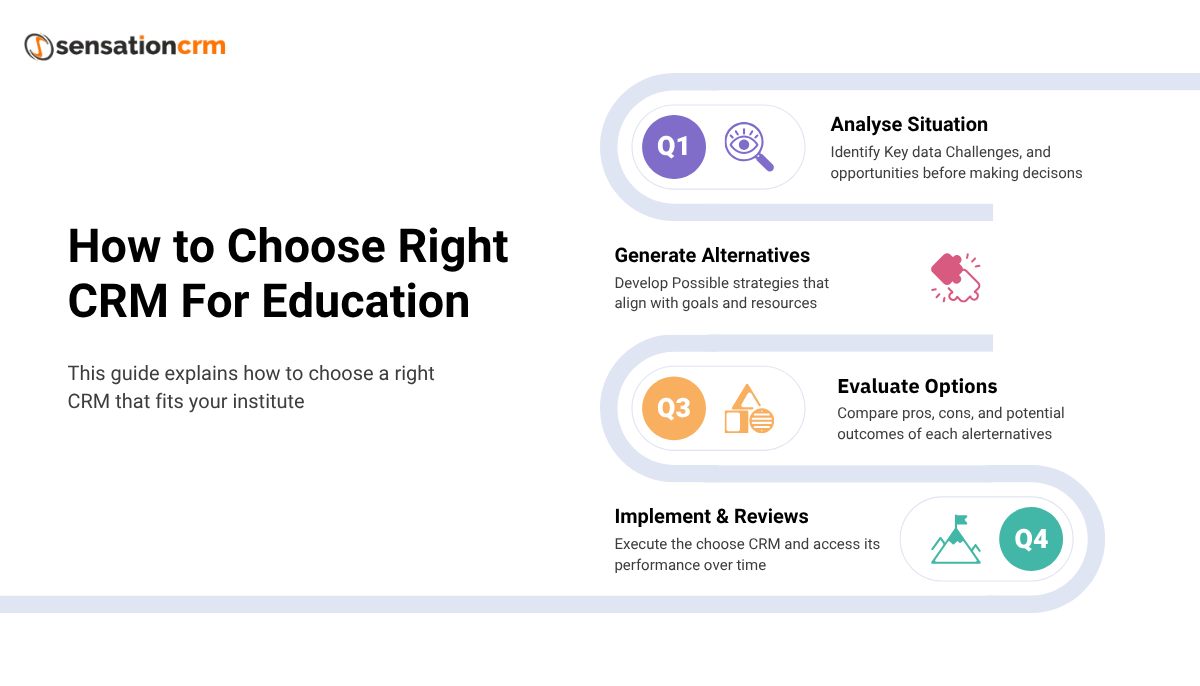
Choosing the right CRM for educational institutions has become a real decision point for schools, colleges, and coaching centers. With so many options available, it’s easy to feel pulled toward software that looks impressive but doesn’t actually solve everyday problems.

Many institutions end up spending more than they should, not because they lack planning, but because the CRM they choose isn’t designed for how education truly works or effective CRM lead management. Over time, this leads to unused features, confused staff, and processes that feel harder instead of easier.

This guide explains how to choose a CRM that fits your institution, supports growth, and avoids unnecessary costs. No exaggeration. No buzzwords. Just practical thinking.

Why Educational Institutions Often Overpay for CRM Software

Overpaying usually doesn’t happen at the start. It happens slowly. An institution signs up for a CRM that promises automation, analytics, and scalability. On paper, everything looks fine. But once implementation begins, teams realize the system is built for sales pipelines, not student admissions.

Education works differently. Inquiry cycles are longer. Decisions involve parents and counselors. Follow-ups are informational, not aggressive. Generic CRMs don’t reflect this reality, so institutions pay extra for customization, training, and ongoing adjustments.

That’s where costs quietly add up.

Education Has Different CRM Requirements Than Business Sales

A CRM designed for education needs to understand how students move through the system. This includes inquiry, counseling, documentation, fee discussion, enrollment, and post-admission communication.

In many institutions, the same student interacts with multiple staff members over weeks or months. A proper CRM for educational institutions keeps that entire history visible and accessible. Generic CRMs usually don’t do this well without heavy modification.

If a system treats students like short-term sales leads, it’s not a good match.

Start With Your Actual Admission Process

Before evaluating CRM software, institutions should map their own process honestly.

    • How do inquiries arrive?

    • Through website forms, phone calls, walk-ins, or social media?

    • Who responds first?

    • How are follow-ups tracked?

    • Where do delays happen?

A good CRM should reflect these steps clearly. It shouldn’t force staff to adapt to unnatural workflows just to fit the software. When systems align with real operations, adoption becomes easier and outcomes improve.

Don’t Pay for Features That Sound Good but Go Unused

Many CRM vendors bundle features like:

    • Advanced sales forecasting

    • Revenue pipelines

    • AI deal scoring

    • Complex automation chains

Most institutions need reliability more than innovation. Clear inquiry tracking, follow-up reminders, communication logs, and basic reporting usually deliver the biggest impact.

Paying for features no one uses is one of the most common ways institutions overspend on CRM education platforms.

Ease of Use Is More Important Than Feature Volume

Even the most advanced CRM fails if staff don’t use it properly. Admissions teams are busy. If a CRM requires too many steps to log a call or update a status, people will avoid it. Data becomes incomplete. Reports become unreliable.

The best CRM for Higher education feels intuitive. Staff should be able to learn it quickly, without long training sessions. When the system feels simple, consistency follows.

Customization Should Support, Not Complicate

Some CRM vendors promote deep customization as a benefit. Some CRMs require heavy customization just to fit admissions workflows. That means:

    • Extra setup costs

    • Consultants

    • Long implementation timelines

    • Ongoing dependency

If a CRM needs constant changes to function properly, it’s probably not designed for education in the first place.

Reporting Should Be Clear and Actionable

Reports should answer real questions, not just display numbers. Institutions typically want to know how many inquiries are active, where students drop off, which programs perform well, and how counselors are managing follow-ups.

A good CRM for educational institutions presents this information in simple language. If reports require interpretation or technical knowledge, they won’t be used consistently.

Integration Should Feel Natural

Most institutions already rely on email, phone systems, websites, and spreadsheets. A CRM should integrate with these tools smoothly.

Trying to replace everything at once creates resistance and confusion. Gradual integration works better and costs less over time.

CRM education software should support existing workflows, not disrupt them unnecessarily.

Data Security Is Non-Negotiable

Student and parent data must be protected. Any CRM solution should include secure hosting, strong access controls, detailed activity logs, and regular backups to ensure data privacy and compliance.

Security shouldn’t be treated as an optional feature. It should be standard. Institutions that ignore this risk not just operational issues, but trust as well.

Pricing Transparency Prevents Long-Term Cost Surprises

Low pricing can be misleading.  Some CRMs charge low entry fees but add costs later:

    • User limits

    • Storage caps

    • Feature upgrades

    • Support fees

Clear, predictable pricing is safer than aggressive discounts. Over time, transparency saves more money than cheap entry plans.

Support and Onboarding Matter More Than Demos

CRM success depends on implementation. Strong onboarding, workflow setup, and ongoing support are essential.

Vendors who disappear after the sale leave institutions struggling to adapt. Education institutions should value long-term partnership over flashy demos. Support quality often determines whether a CRM succeeds or fails.

Choosing a CRM That Grows With You

Institutions grow gradually. New programs. More counselors. Higher inquiry volume.

A CRM should scale smoothly without forcing system changes every year. Scalability doesn’t mean complexity. It means stability under growth.

Why Education-Focused CRM Platforms Make Sense

Education CRMs are built with real institutional workflows in mind.

They understand:

    • Admission seasons

    • Multiple stakeholders

    • Long decision cycles

    • Counselor accountability

    • Parent communication

This reduces friction. Less friction means better outcomes.

Sensation CRM: Designed for Education, Not Sales Pipelines

For institutions seeking a practical and education-focused solution, Sensation CRM is built around actual academic workflows. It supports inquiry management, admissions tracking, counselor coordination, and reporting without unnecessary complexity.

Instead of adapting sales tools for education, Sensation CRM provides structure that fits schools, colleges, and coaching institutes helping teams stay organized, accountable, and scalable without overpaying for features they don’t need.

Choosing The Right CRM

Choosing the right CRM for educational institutions isn’t about buying the most advanced software. It’s about selecting a system that matches how education actually operates.

Institutions that prioritize usability, clarity, and education-specific design avoid wasted spending and operational stress. A good CRM supports people, processes, and growth without getting in the way, while making it easy for prospects to contact us and receive timely responses.

FAQ’s

What is a CRM for educational institutions?

A CRM for educational institutions is software designed to manage student inquiries, communication history, admissions workflows, and engagement across the student lifecycle.

Education CRMs focus on inquiries, counseling, enrollment, and student communication, whereas sales CRMs are built around short sales cycles and revenue pipelines.

Generic CRMs require heavy customization, don’t follow education workflows out of the box, and often force institutions to overpay for features they will not use.

Schools should look for ease of use, built-in education workflows, simple reporting, secure data handling, predictable pricing, and support tailored to admissions teams.

Yes. Many education-focused CRMs can integrate with these platforms, inquiry forms, and communication tools to streamline information flow.

Categories
Admissions

CRM for Educational Institutions: How It Improves Admissions, Follow-Ups & Conversions

Educational institutions today handle far more than teaching and examinations. Admissions teams manage thousands of inquiries, counsellors track student conversations across weeks or months, and administrators balance data from websites, walk-ins, calls, emails, and campaigns. When this information lives in spreadsheets, notebooks, or individual inboxes, decisions slow down and opportunities are missed.

A CRM for educational institutions brings structure to this complexity through effective CRM lead management. It centralizes student data, organizes follow-ups, and helps teams move prospects smoothly from inquiry to enrollment. This article explains how a CRM works in an education context, how it improves admissions and conversions, and what institutions should realistically expect from it.

What a CRM Means for Educational Institutions

A Customer Relationship Management system, in education, is less about “customers” and more about relationships. These relationships start long before enrollment and often continue after graduation.

A CRM for educational institutions typically manages:

    • Communication history (calls, emails, messages)

    • Follow-up schedules and reminders

    • Counselor assignments and performance

    • Conversion tracking from inquiry to admissionStudent inquiries from all sources

Instead of reacting to scattered information, teams work from one shared system.

The Admissions Reality Without a CRM

Before understanding the benefits, it helps to look at common problems institutions face without a CRM.

Fragmented Data: Leads come from websites, social media, education portals, phone calls, walk-ins, and referrals. When each source is tracked separately, there is no complete view of a student’s journey.

Missed Follow-Ups: Counsellors rely on memory, notes, or personal calendars. Busy days lead to forgotten calls, delayed responses, and lost interest from students.

No Clear Admission Pipeline: Without defined stages, it is difficult to know:

    • How many active prospects exist

    • Where students drop off

    • Which counsellors are overloaded

Limited Accountability: When outcomes are poor, it is hard to tell whether the issue is lead quality, follow-up discipline, or process gaps.

How CRM Improves the Admissions Process

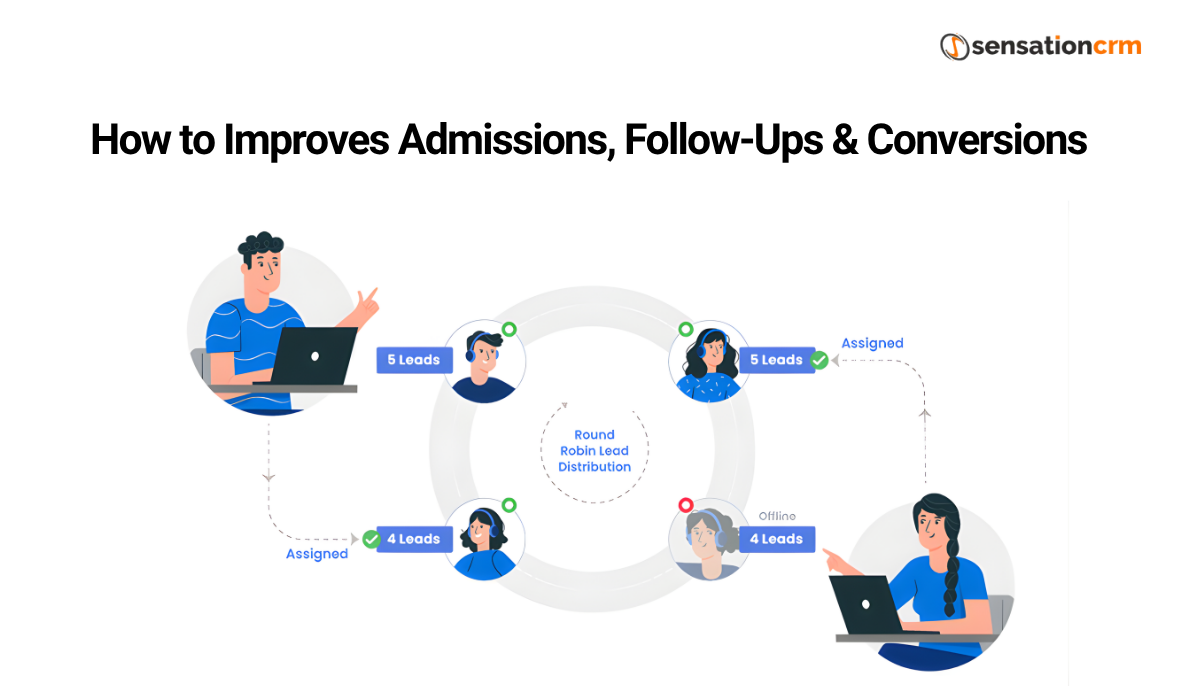
CRM Admission Process

Centralized Inquiry Management

A CRM captures every inquiry automatically or manually into one system. Each student record includes contact details, course interest, source, and interaction history.

This eliminates duplication and confusion. Anyone on the team can see what has already been discussed and what needs to happen next.

Structured Admission Stages

CRMs allow institutions to define admission stages such as:

    • New Inquiry

    • Contacted

    • Counselling Done

    • Application Submitted

    • Fee Discussion

    • Enrolled

This structure creates clarity. Teams know exactly where each student stands and what actions are pending.

Faster Response Times

Quick responses matter in admissions. A CRM enables:

    • Instant lead assignment

    • Automated alerts for new inquiries

    • Templates for common responses

Students receive timely information, which builds trust and keeps engagement high.

Follow-Ups That Actually Happen

Follow-up discipline is one of the strongest predictors of conversion. A CRM solution supports this in practical ways by keeping communication organized and timely.

Automated Reminders

Counsellors receive reminders for scheduled calls, emails, or messages. Follow-ups no longer depend on memory.

Complete Interaction History

Every call note, email, and message is logged. If a student reconnects after weeks, the context is instantly available.

Priority Management

CRMs help teams focus on students who are:

    • Actively engaging

    • Near decision points

    • At risk of dropping off

This prioritization improves efficiency without increasing workload.

Improving Conversion Rates

Conversion is rarely about pressure. It is about timing, relevance, and consistency.

Personalized Communication

With data on course interest, budget range, and previous questions, counsellors can tailor conversations instead of repeating generic information.

Visibility Into Drop-Off Points

CRMs show where students disengage. Institutions can identify whether issues arise during counselling, documentation, or fee discussions.

Better Use of Lead Sources

By tracking conversions by source, lead management helps teams learn which channels produce serious applicants and which need adjustment.

Data-Driven Decision Making

A CRM replaces guesswork with visibility.

Institutions can track:

    • Inquiry-to-enrollment ratios

    • Average response times

    • Counselor performance

    • Campaign effectiveness

These insights support realistic planning for intake targets, staffing, and marketing spend.

Role-Based Access and Collaboration

Road Based Collaboration

Admissions involve multiple roles: front-desk staff, counsellors, managers, and marketing teams.

CRMs allow:

    • Role-based access to sensitive data

    • Clear ownership of leads

    • Smooth handovers between teams

This reduces internal friction and duplication of effort.

CRM for Different Types of Educational Institutions

Schools: Schools use CRMs mainly for inquiry handling, parent communication, and admission cycle management.

Colleges and Universities: Higher education institutions benefit from CRMs that handle large volumes, multiple courses, entrance tests, and long decision cycles.

Coaching Centers and Training Institutes: For these institutions, speed and follow-up intensity are critical. CRMs help track batch availability, demo classes, and conversions Solving Admission & Enrollment Challenges effectively.

Comparison Table: Admissions With and Without CRM

Aspect Without CRM With CRM
Inquiry Tracking Manual, scattered Centralized and automatic
Follow-Ups Inconsistent System-driven reminders
Visibility Limited Real-time pipeline view
Accountability Unclear Measurable performance
Conversion Insight Guess-based Data-backed

Common Misconceptions About CRM in Education

“CRM is only for large institutions.” Small and mid-sized institutions often see faster benefits because processes are simpler.

“It replaces human counselling.” CRM supports counsellors; it does not replace judgment or empathy.

“It is difficult to adopt.” Modern CRMs are designed for non-technical users.

Implementation Considerations

A CRM succeeds when aligned with actual workflows.

Key points to consider:

    • Clearly define admission stages

    • Train counsellors on daily usage

    • Start with essential features

    • Review data weekly, not yearly

Adoption matters more than complexity.

CRM is a Must for Educational Institutions

A CRM for educational institutions is not about aggressive selling. It is about clarity. It helps teams stay organized, respond on time, and understand what works and what does not. Admissions become predictable instead of reactive.

For institutions looking for a CRM designed specifically around education workflows, Sensation CRMs offers solutions built to handle inquiries, admissions, follow-ups, and conversions in a structured and practical way. Their approach focuses on usability, visibility, and real admission outcomes rather than unnecessary features.

When implemented with intention, a CRM becomes part of how an institution listens, responds, and grows.

FAQ’s

What is the main benefit of a CRM in education?

The main benefit is structured follow-ups and data tracking that help admissions teams respond promptly and convert more inquiries into enrollments.

CRMs create reminders, schedule follow-ups, and track communication history so no inquiry gets lost or delayed.

Yes. By improving communication, transparency, and responsiveness, CRMs increase the likelihood that prospects complete the enrollment process.

Yes, every interaction emails, calls, messages, notes is logged, giving a complete view of the prospect’s journey

Reports help institutions see where prospects drop off, which staff are performing best, and which programs need more focus.

No. CRM supports teams by organizing work and automating reminders, but human engagement remains central to admissions success.

Categories
Education CRM Software

Education CRM Software vs Generic CRM: Key Differences Explained

Built for The Student Lifecycle

Education CRM software is designed around the full student journey, starting from the first inquiry and continuing through counseling, enrollment, and even post-admission communication. This lifecycle is longer and more layered than a typical sales journey. A student may take weeks or months to decide, ask repeated questions, or pause the process entirely before coming back. Education CRM systems account for this naturally, while generic CRMs are built for short sales cycles and quick closures, which doesn’t align well with how education decisions are actually made.

Admissions Workflow Support

Admissions workflows involve more than just “open” and “closed” stages. There are document checks, eligibility confirmations, fee discussions, seat availability concerns, and academic approvals. Education CRM software includes these workflows by default, so teams can move students through each stage without confusion. Generic CRMs usually require heavy customization to replicate this, and even then, the process often feels forced or incomplete.

Parent Student Communication Handling

In education, communication is rarely one-to-one. Parents, guardians, and sometimes sponsors are involved in the decision-making process. Education CRM software allows institutions to manage multiple contacts linked to a single student profile. This ensures that updates reach the right people at the right time. Generic CRMs usually treat each contact as an individual buyer, which can result in fragmented communication and missing context.

Counselor Management Structure

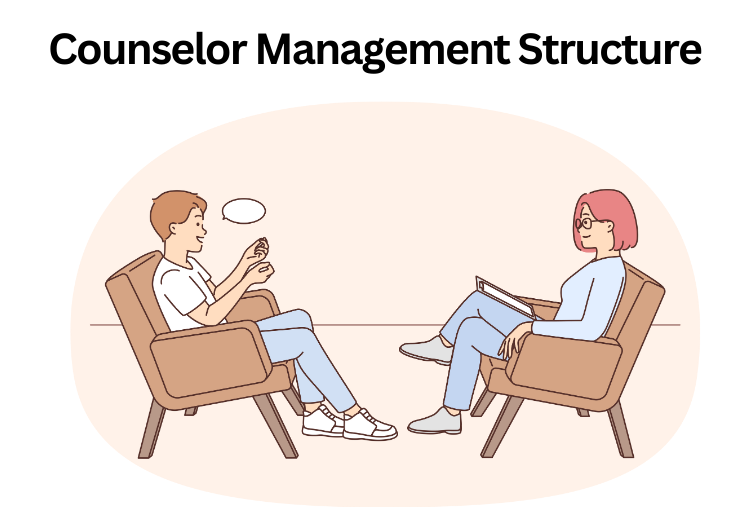
Education CRM software is built to support counselors rather than sales representatives. It tracks counselor assignments, follow-ups, workloads, and response times in a way that reflects academic counseling rather than sales pressure. This helps institutions ensure fair distribution of inquiries and consistent follow-ups. Generic CRMs focus on deal ownership and sales quotas, which don’t translate well to counseling environments.

Counselor Management Structure

Academic Reporting and Insights

Education-focused reporting looks very different from sales reporting. Institutions need to understand which programs attract the most interest, where students drop off in the admission process, how long decisions take, and which counselors need support. An education CRM software CRM solution provides these insights in a usable, institution-ready format. Generic CRMs mainly report on revenue forecasts and pipeline velocity, which offer limited value in academic decision-making.

Compliance and Data Sensitivity

Educational institutions handle sensitive student information that must be protected carefully. Education CRM software is designed with this responsibility in mind, offering role-based access, audit trails, and controlled data visibility. This ensures that staff members only see the information relevant to their role. Generic CRMs can be secured, but compliance is not their primary design focus, making them riskier if not managed carefully.

Reduced Customization Dependency

One common issue with generic CRMs is the need for extensive customization to fit education workflows. Over time, this creates dependency on technical teams and increases maintenance costs. Education CRM software already understands academic structures, making it a Guide for Schools, Colleges & Coaching Institutes that need stability rather than constant configuration.

Higher User Adoption Rates

Admissions teams are more likely to use a system that feels intuitive and aligned with their daily tasks. Education CRM software mirrors how counselors already work, which leads to higher adoption and better data quality through effective user management. Generic CRMs often feel foreign to academic staff, lacking proper user management controls and causing teams to fall back on spreadsheets or personal notes, which defeats the purpose of having a CRM at all.

Scalability Without Operational Chao

As institutions grow, they face higher inquiry volumes, more programs, and larger counseling teams. Education CRM software scales without disrupting existing workflows, maintaining structure even as complexity increases. Generic CRMs can scale technically, but without proper academic logic, they often create confusion as the institution grows.

Cost vs Long-Term Value

Long-term CRM benefits

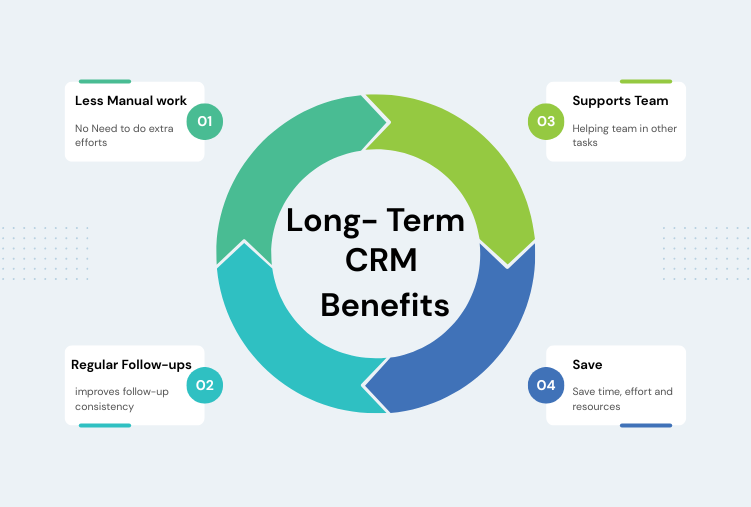
While generic CRMs may appear cheaper initially, the long-term costs of customization, training, and inefficiency often outweigh the savings. Education CRM software delivers better value over time because it reduces manual work, improves follow-up consistency, and supports admissions teams more effectively. Institutions end up saving time, effort, and resources in the long run.

Why This Difference Matters in Practice

Choosing between a generic CRM and education CRM software isn’t just a technical decision. It directly affects how smoothly admissions teams operate, how effectively lead management is handled, how students experience the institution, and how leadership makes decisions. A system built for education reduces friction and supports sustainable growth.

Final Thought

Education institutions don’t need to force their processes into a sales-oriented system. They need tools that respect how education actually works.

Sensation CRM is designed specifically for academic environments, supporting admissions workflows, counselor operations, and institutional reporting without unnecessary complexity. For schools, colleges, and coaching institutes that value clarity, accountability, and long-term scalability, using an education-focused CRM makes everyday work simpler and more effective.

FAQs

What is the difference between education CRM software and generic CRM?

Education CRM software is tailored around student lifecycles and admissions processes, while generic CRMs focus on sales pipelines and deal closures. 

They can be adapted, but they usually require heavy customization and may not fit natural education workflows.

Education CRMs include inquiry management, counselor assignments, admissions stage tracking, parent-student relationship mapping, and academic reporting.

Education-focused reporting highlights admissions funnels, follow-ups, conversions, and counselor performance rather than sales revenue.

Not necessarily. While education CRMs can be priced similarly, they save money long-term by reducing customization and increasing adoption.

Yes. By tracking interactions and follow-ups consistently, CRMs help institutions engage students more effectively throughout the admissions process.

See Sensation CRM in Action

Let our team walk you through your customized admissions workflow and show how automation saves hours every week.