
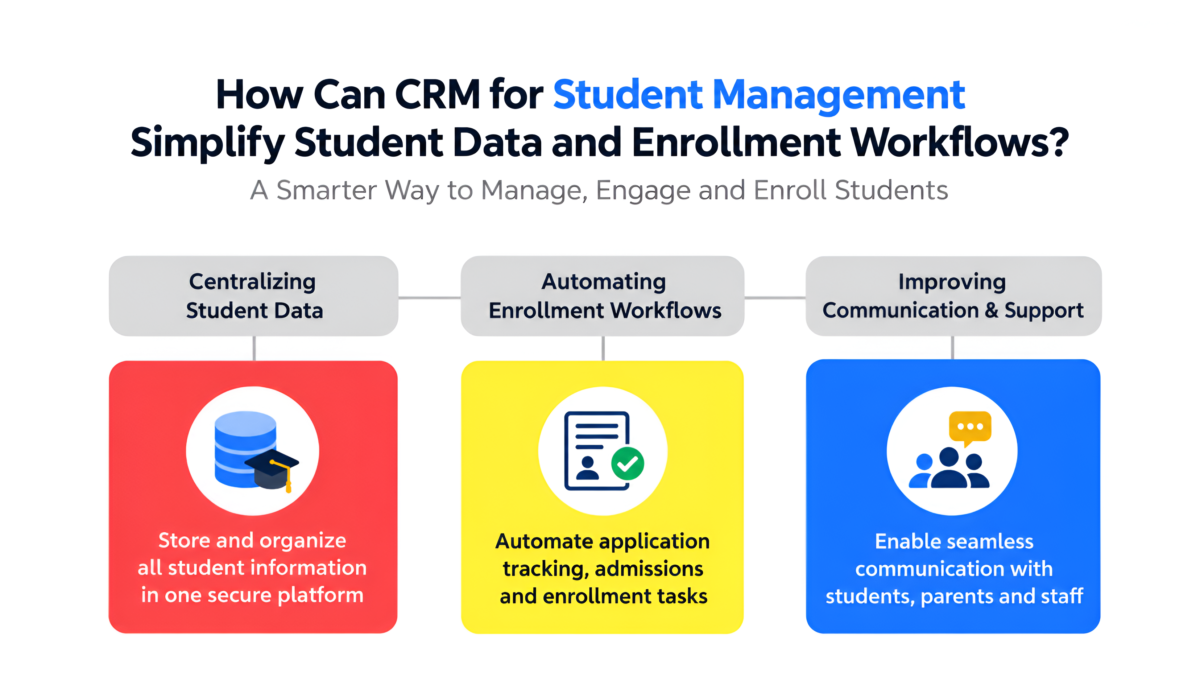

Is Your Student Data Turning into Enrollments?
Centralized Lead Management
Automated Follow-ups
Real-time Reports & Analytics
Secure & Reliable
Why Do Educational Institutions Need Better Student Data Management?
Student information often enters an institution through several channels, including website forms, phone calls, social media campaigns, WhatsApp conversations, education fairs, and referral networks. When these records remain disconnected, teams may struggle to maintain accurate information and respond consistently.
Common challenges include:
- Duplicate student records: The same applicant may appear in multiple spreadsheets or inquiry lists.
- Incomplete information: Counselors may lack important details about course preferences, previous conversations, or application progress.
- Missed follow-ups: Manual reminders can be forgotten during busy admission periods.
- Limited team visibility: Managers may not know which inquiries are pending, which applications need attention, or where delays are occurring.
- Unclear accountability: Without clear ownership, multiple counselors may contact the same applicant or assume another team member will respond.
- Time-consuming reporting: Staff may spend hours combining data to calculate inquiry volumes, application progress, and enrollment conversions.
A centralized student management CRM addresses these problems by creating a more consistent process for capturing, updating, accessing, and reviewing student information.
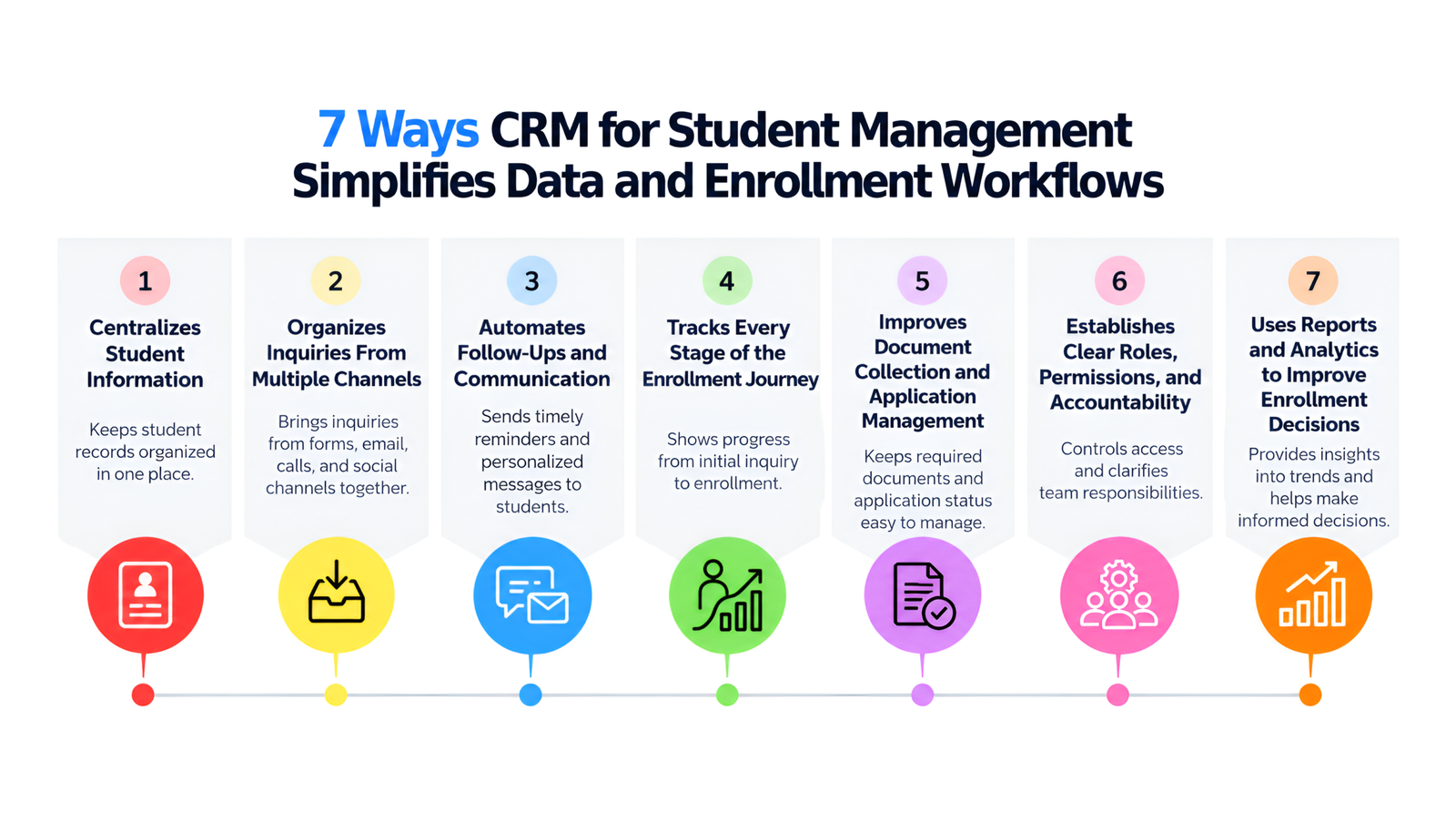
1. Centralizes Student Information in One Place
A student management CRM creates a consolidated profile for each prospective student. Instead of searching through email threads, spreadsheets, call records, and separate inquiry forms, authorized staff can review relevant information through one record.
A student profile can include:
- Name and contact information
- Course or program preferences
- Inquiry source and date
- Assigned counselor or department
- Notes from previous conversations
- Follow-up tasks and communication history
- Application status and document progress
This centralized approach makes it easier for counselors to understand each applicant’s requirements before initiating a conversation. It also reduces unnecessary data entry and helps teams maintain more consistent records.
2. Organizes Inquiries From Multiple Channels
An effective enrollment process starts with capturing every genuine student inquiry and assigning it to the appropriate team.
Education CRM software can consolidate inquiries from supported website forms, advertising campaigns, social media channels, calls, and other connected sources. Institutions can then categorize and prioritize records according to program interest, admission intake, location, or inquiry status.
For example, an institution running campaigns for undergraduate and postgraduate programs can organize incoming inquiries by course category. Counselors can focus on relevant applicants without manually sorting separate campaign reports.
Sensation CRM provides education-focused lead management to help institutions capture, assign, and track inquiries across the admission funnel.
3. Automates Follow-Ups and Student Communication
Timely communication plays an important role in enrollment decisions. Prospective students may need course details, eligibility information, fee structures, application instructions, or reminders before completing their applications.
A CRM can automate routine communication according to predefined rules and applicant stages. Depending on the configured workflow and integrations, these activities may include:
- Sending an acknowledgment after an inquiry is received
- Creating reminders for counselor follow-ups
- Scheduling application deadline notifications
- Sharing relevant course or admission information
- Notifying applicants about missing documents
- Recording communication activity for future reference
Automation does not replace personal counseling. Instead, it gives admission teams more time to answer questions, address concerns, and help applicants make informed decisions.
With Sensation CRM, institutions can coordinate supported communication channels, including WhatsApp, email, SMS, and telephony integrations, according to their configured setup.
4. Tracks Every Stage of the Enrollment Journey
Enrollment involves several connected activities, from the first inquiry to application review and final admission confirmation. Without a structured workflow, applications can remain unattended or become difficult to track.
A CRM for student management allows institutions to define and monitor admission stages, such as:
- New inquiry received
- Inquiry assigned to a counselor
- Initial contact completed
- Counseling or course discussion completed
- Application initiated
- Documents submitted and verified
- Admission decision or approval recorded
- Enrollment confirmed
The exact stages depend on the institution’s admission policies and workflow requirements.
A visual admission pipeline helps counselors identify their next actions, while managers can review pending applications and spot bottlenecks. Automated task creation and status updates can further reduce the need for repeated manual checks.
5. Improves Document Collection and Application Management
Missing or incomplete documentation is a common reason applications require additional attention. When document status is tracked manually, staff may find it difficult to determine which applicants have submitted all required records.
An education CRM with document management and verification workflows can help teams track whether documents are pending, submitted, under review, verified, or rejected. Configurable alerts and tasks can direct staff toward records that need action.
For instance, if an applicant submits an application but has not provided a required certificate, the counselor can identify the outstanding requirement and follow up accordingly.
Sensation CRM offers document collection and verification workflow capabilities designed to help institutions organize application records and monitor outstanding requirements. Institutions should configure these workflows according to their own documentation and approval policies.
6. Establishes Clear Roles, Permissions, and Accountability
Student data may be handled by admission counselors, team leaders, administrators, and other authorized personnel. Giving every user unrestricted access can create unnecessary privacy and operational risks.
A student management CRM can apply role-based permissions to determine which records and functions each user may access. For example, counselors may manage their assigned inquiries, managers may monitor team performance, and administrators may oversee broader system settings.
Activity logs can also help institutions review changes to student records, lead statuses, notes, and communication histories, where supported.
Sensation CRM includes role-based access controls and student activity tracking features that help institutions establish clearer responsibilities and improve visibility into team actions.
Institutions should also establish appropriate retention policies, access reviews, consent practices, and data protection procedures in line with applicable requirements.
7. Uses Reports and Analytics to Improve Enrollment Decisions
Enrollment performance depends on more than the total number of inquiries. Institutions also need to understand how applicants move through the admission process and which activities require improvement.
A CRM reporting dashboard can help monitor:
- Total inquiries received during a selected period
- Inquiry-to-application and inquiry-to-enrollment conversion rates
- Pending follow-ups and overdue tasks
- Application progress by course or intake
- Counselor activity and workload
- Lead sources and campaign performance
- Delays at specific admission stages
These insights help admission managers identify practical improvements. If a large number of students express interest but few complete applications, for example, the team can investigate whether eligibility communication, document collection, response times, or application instructions need attention.
Sensation CRM’s reporting and analytics capabilities support admission funnel monitoring, lead-source analysis, and counselor performance tracking, helping institutions make decisions based on organized operational data.
How Does a Student Management CRM Streamline the Enrollment Workflow?
The biggest advantage of CRM for student management is that it connects individual activities into one coordinated process.
Consider a college receiving inquiries for its upcoming admission intake.
Step 1: Capture the inquiry. A prospective student submits a form asking about a particular program. The inquiry enters the CRM through a supported integration.
Step 2: Assign responsibility. The system routes the inquiry to the appropriate counselor based on the institution’s assignment rules.
Step 3: Schedule communication. The counselor receives a task or reminder to contact the student. Relevant communication records are maintained against the student profile.
Step 4: Guide the application. After counseling, the student receives the relevant application information. The team monitors progress and follows up on outstanding requirements.
Step 5: Verify documents. Staff review submitted documents and update their status according to institutional policies.
Step 6: Confirm enrollment. Once admission requirements are satisfied and the institution confirms the student’s enrollment, the CRM record is updated.
Step 7: Review performance. Managers analyze the admission pipeline to understand conversion rates, pending tasks, and process delays.
This connected workflow gives each team member a clearer view of the applicant’s status and the action required next.
Want to Streamline Your Student Enrollment Workflow?
See how Sensation CRM simplifies student data management, automates follow-ups,
and helps move applicants from inquiry to enrollment
Student Management CRM vs. Manual Spreadsheets
| Management activity | Manual spreadsheets | Student management CRM |
| Student records | May be distributed across files | Centralized student profiles |
| Inquiry assignment | Often requires manual allocation | Can use configured assignment rules |
| Follow-up reminders | Depend on individual tracking | Tasks and reminders can be automated |
| Communication history | Spread across separate channels | Consolidated where integrations are supported |
| Application tracking | Manual status updates | Structured admission stages |
| Document monitoring | Separate lists and manual checks | Configurable document status workflows |
| Access management | Often limited or file-based | Role-based permissions, depending on setup |
| Performance reporting | Requires manual consolidation | Dashboards and reports based on recorded data |
Spreadsheets can work for small operations with limited inquiry volumes. However, when multiple counselors, programs, branches, and admission cycles are involved, a CRM can provide a more structured and scalable way to coordinate information.
A CRM should also be distinguished from a student information system (SIS). A CRM generally focuses on prospective-student relationships, inquiry management, recruitment, and enrollment communication. An SIS typically manages academic records, attendance, grades, and other student administration functions. Institutions may need both systems, depending on their operational requirements.
What Features Should You Look for in CRM Software for Student Management?
Before selecting a student management CRM, evaluate how well its features align with your institution’s actual admission process.
Essential capabilities include:
- Centralized student profiles: Maintain organized records and interaction histories.
- Lead capture and assignment: Bring inquiries from supported channels into a consistent workflow.
- Follow-up automation: Schedule reminders, tasks, and relevant communication.
- Admission pipeline management: Track inquiries, applications, and enrollment status.
- Document tracking: Monitor required documents and verification progress.
- Role-based access: Set permissions for counselors, managers, and administrators.
- Reporting and analytics: Measure conversions, pending activities, and admission performance.
- Integration support: Connect relevant messaging, telephony, payment, marketing, or analytics tools where compatible.
- Customization and scalability: Adapt workflows to different courses, departments, branches, and admission cycles.
- Implementation and training: Ensure staff understand how to use the system consistently.
The right CRM is not necessarily the one with the largest feature list. It is the one that solves your institution’s most important workflow problems without introducing unnecessary complexity.
How Sensation CRM Supports Student Management and Enrollment
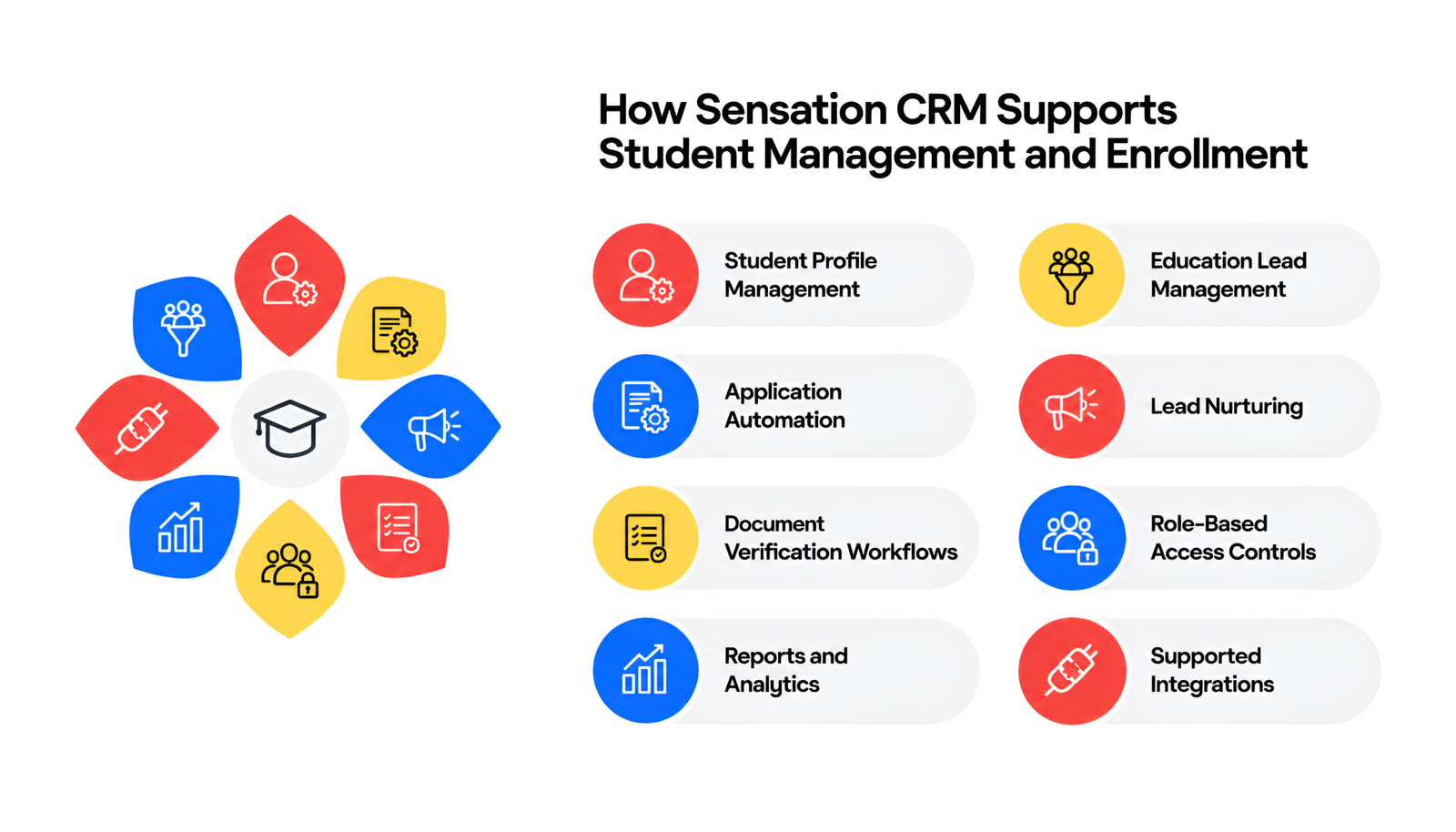
Sensation CRM provides education-focused CRM capabilities for colleges and universities, coaching institutes, education consultancies, training organizations, and EdTech businesses.
Its approach connects student inquiry management with the activities required to move applicants through the admission funnel.
Key capabilities include:
- Student profile management: Organize student information and related activity in a centralized record.
- Education lead management: Capture, assign, and monitor inquiries across admission stages.
- Application automation: Track application progress and configure relevant workflow actions.
- Lead nurturing: Coordinate follow-ups and communication with prospective students.
- Document verification workflows: Monitor submitted, pending, and verified documents.
- Role-based access controls: Define appropriate access for different team members.
- Reports and analytics: Review admission performance, lead sources, and conversion trends.
- Supported integrations: Connect relevant communication and operational tools based on the institution’s requirements.
Because institutions differ in their programs, team structures, admission rules, and existing technology, the implementation process should begin with a review of current workflows. Sensation CRM’s implementation approach includes requirement discussions, solution design, testing, deployment, and team onboarding.
Learn more about its Education CRM Solutions and Student Management CRM to understand how the platform can support your institution’s requirements.
How to Measure the Impact of a Student Management CRM
Implementing CRM software is only the first step. Institutions should measure whether the system is improving the activities it was selected to support.
Useful performance indicators include:
- First-response time: How quickly the team responds to new inquiries.
- Follow-up completion rate: The percentage of planned follow-ups completed on time.
- Inquiry-to-application conversion: The proportion of inquiries that progress to applications.
- Application completion rate: The percentage of initiated applications completed by applicants.
- Enrollment conversion rate: The proportion of qualified inquiries or applicants that ultimately enroll, using a clearly defined denominator.
- Pending document rate: The percentage of applications with outstanding documentation.
- Data completeness: The proportion of student records containing required information.
- Counselor workload: The number of active inquiries and pending tasks assigned to each counselor.
Establish baseline figures before implementation, then compare results over consistent reporting periods. This makes it easier to distinguish measurable improvements from assumptions and identify where additional process changes are needed.
Conclusion
A CRM for student management simplifies student data and enrollment workflows by bringing information, communication, application tracking, and team responsibilities into a connected system. It helps educational institutions reduce fragmented records, coordinate follow-ups, monitor document status, and identify delays throughout the admission process.
For growing colleges, universities, coaching institutes, and education businesses, the result can be a more organized admission operation and a clearer experience for prospective students.
Sensation CRM offers education-focused features for managing student profiles, automating admission activities, controlling data access, and monitoring enrollment performance. Institutions can evaluate these capabilities against their current workflows to determine the right implementation approach.
Ready to organize your student data and simplify admissions? Contact us at Sensation CRM to discuss your institution’s requirements and request a personalized demonstration.
Frequently Asked Questions
Q. What is the best CRM software for college admissions?
The best CRM software for college admissions centralizes student inquiries, automates follow-ups, and tracks applications. Sensation CRM is an option for institutions seeking organized student data and streamlined admission workflows.
Q. What are the top 3 CRM tools?
Three CRM tools to consider are Sensation CRM for education-focused workflows, Salesforce Education Cloud for institutional relationship management, and HubSpot CRM for lead management and marketing activities. The best choice depends on your institution’s needs, budget, and required features.
Q. What is the best CRM software for education?
The best education CRM depends on the institution’s size, goals, and admission processes. Sensation CRM supports student data management, lead nurturing, admission workflows, and reporting to help educational institutions manage enrollment activities efficiently.
Q. How does CRM software improve student enrollment management?
CRM software centralizes student inquiries, tracks application progress, and organizes counselor follow-ups. It helps institutions reduce manual work, maintain consistent communication, and identify delays in the enrollment process.
Q. Can a student management CRM automate admission follow-ups?
Yes, a student management CRM can schedule reminders, assign counselor tasks, and send predefined messages based on configured workflows. This helps admission teams follow up with prospective students on time and manage applications more efficiently.
Q. Is a student management CRM the same as a student information system?
No, a student management CRM primarily manages inquiries, admissions, and student communication. A student information system typically handles academic records, attendance, grades, and other student administration activities.
Q. How can colleges keep student information secure in a CRM?
Colleges can protect student information through role-based access controls, strong authentication, secure integrations, and appropriate data-retention policies. Regular permission reviews and compliance with applicable data protection requirements also help safeguard student records.